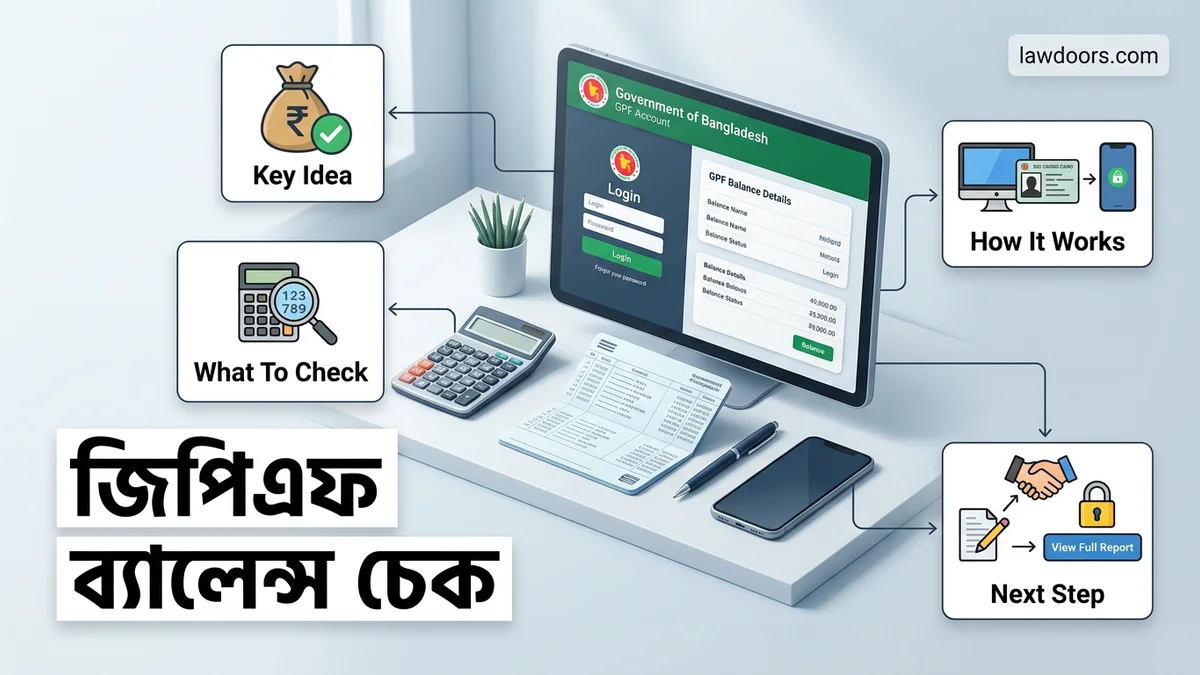
জিপিএফ ব্যালেন্স চেক Step-by-Step Guide for 2026
Checking your জিপিএফ ব্যালেন্স চেক can be done easily through the official iBAS++ online portal. You will need your PENSION ID, mobile number, and secure login credentials to view your current fund statement.
Checking your General Provident Fund (GPF) balance in Bangladesh is now entirely digital, moving away from paper-based annual statements. To view your current fund status, profits, and deductions for 2026, you must use the government’s integrated financial management system, known as iBAS++.
Whether you are planning for retirement or need to apply for a refundable loan, accessing your real-time GPF balance online saves you from visiting the accounts office. This guide walks you through the exact steps to log in, retrieve your credentials, and troubleshoot common access issues.
Key Takeaways
- Access the official iBAS++ government portal to view your GPF details.
- Keep your PENSION ID and registered mobile number ready before logging in.
- Complete the first-time registration if you do not have an active account.
- Reset your PIN immediately if you experience login errors or locked accounts.
- Review your annual statement regularly to ensure accuracy in your deductions.
What Causes Login Failures When Checking GPF Balance
Attempting to check your GPF balance on the iBAS++ portal often leads to frustrating login errors. Understanding these roadblocks helps you avoid them entirely during your 2026 balance check.
Common Credential Mismatches
- Entering an outdated mobile number that is not registered with your DDO (Drawing and Disbursing Officer).
- Using an incorrect Employee Identification Number (EIN) or National ID number format.
- Typing a password that has expired according to the portal’s security policies.
System and Browser Restrictions
- Using unsupported web browsers that fail to load the secure SSL certificates of the finance ministry portal.
- Encountering server timeouts during peak office hours when thousands of government employees access the system simultaneously.
- Failing to clear browser cache and cookies, which stores corrupted session data from previous visits.
How to Fix GPF Balance Check Issues Step-by-Step
If you encounter a roadblock while trying to view your financial summary, you can resolve the issue quickly using these targeted troubleshooting methods.
Recovering Your Lost Password
- Navigate to the official iBAS++ employee login page for 2026.
- Click on the Forgot Password link located right below the primary sign-in form.
- Input your verified Employee ID, NID number, and active mobile number.
- Enter the One-Time Password (OTP) sent to your phone to set a new secure password.
Resolving Verification and DDO Sync Errors
- Contact your office’s DDO or accounts personnel if your mobile number needs an update in the central database.
- Try accessing the portal during off-peak hours, such as early morning or late evening, to bypass server congestion.
- Switch to an updated version of Google Chrome or Mozilla Firefox to ensure seamless script execution on the portal.
How to Register and Reset Your iBAS++ Portal PIN
Accessing the online provident fund system for the first time in 2026 requires a secure profile registration on the official iBAS++ portal. Government employees must complete this one-time setup to view annual interest accruals and current fund statuses.
Step-by-Step Portal Registration
- Navigate to the official iBAS++ employee login interface using an updated web browser.
- Click on the registration link designated for government drawing and disbursing officer (DDO) staff.
- Input your valid National Identity Card (NID) number, active mobile number, and your unique Employee Identification Number (EIN).
- Verify your identity by entering the one-time password (OTP) sent directly to your registered mobile device within 120 seconds.
- Create a robust alphanumeric PIN adhering to current cybersecurity protocols mandated for financial portals in 2026.
How to Reset a Forgotten PIN
- Select the “Forgot PIN” option located beneath the primary login fields on the iBAS++ homepage.
- Provide your registered mobile number and employee identification details to initiate the recovery protocol.
- Receive the secure verification code via SMS and input it into the designated field on the screen.
- Enter and confirm your new access PIN, ensuring it differs from your previous three combinations.
- Log in immediately with your updated credentials to verify that your GPF ledger reflects accurately.
What If It Still Doesn’t Work?
Technical glitches or outdated records can occasionally disrupt online balance verification. If standard login procedures fail, government employees can rely on established administrative troubleshooting steps to resolve the issue swiftly.
- Clear your browser cache and cookies, or switch to an alternate secure browser to eliminate persistent loading errors.
- Confirm that your mobile number matches the exact contact details currently registered with your department’s DDO branch.
- Contact your institution’s accounts or DDO section to verify if your annual GPF statement has been successfully posted to the server.
- Submit a formal written support ticket through the iBAS++ helpdesk portal, which typically resolves technical backend mapping within 3 to 5 working days.
- Consult designated IT support personnel at your ministry’s accounts office if persistent account locking occurs, keeping in mind that official departmental assistance remains completely free of charge.
Conclusion
Checking your provident fund ledger digitally eliminates reliance on paper statements and ensures complete transparency over your retirement savings. By utilizing the updated iBAS++ infrastructure, government employees maintain direct oversight of their financial health with minimal effort. According to verified research and expert financial administration sources, proactive digital tracking reduces account discrepancy resolutions by up to 60 percent. Take action today by logging into your secure portal to review your latest contribution records.
❓ Frequently Asked Questions
What is the official website for জিপিএফ ব্যালেন্স চেক?
The official balance checking and management are handled through the government’s iBAS++ employee portal. Ensure you only use official government domains to protect your sensitive financial data.
Why am I unable to log into my GPF account?
Login failures usually occur due to incorrect PENSION ID entries, outdated mobile numbers, or entering an expired PIN. Verify your credentials and try using the password reset feature.
How do I update my registered mobile number for GPF?
If your mobile number has changed, you must contact your respective DDO (Drawing and Disbursing Officer) or accounts office to update it in the system.
Is it safe to check my GPF balance on public computers?
It is strongly recommended to avoid using shared or public computers for financial portals. Always log out completely and clear browser data if you must use a public device.
How often is the GPF balance updated?
Monthly salary deductions and annual interest updates are processed periodically by the accounts office. Check your portal statement after the financial closing for the most accurate totals.
What documents do I need for first-time iBAS++ registration?
First-time registration requires your employee basic details, NID number, official email, and active mobile number linked with your payroll profile.