নগদ একাউন্ট দেখার নিয়ম Expert Guide 2026
নগদ একাউন্ট দেখার নিয়ম is an essential topic with practical applications and significant benefits. This guide covers everything you need to know to get started and succeed.
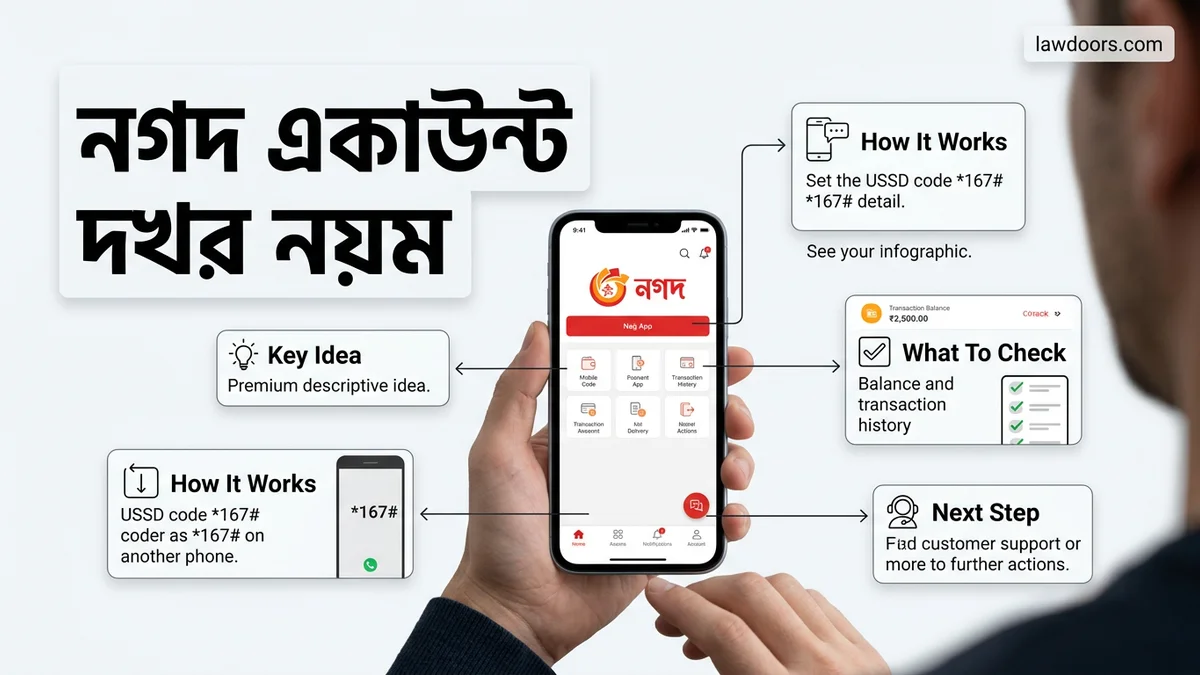
আপনার নগদ একাউন্টের ব্যালেন্স এবং তথ্য খুব সহজেই ইউএসএসডি কোড (১৬৭#) ডায়াল করে অথবা অফিসিয়াল অ্যাপের মাধ্যমে দেখতে পারবেন। লেনদেন করার সময় বা দৈনন্দিন খরচের হিসাব রাখতে ব্যালেন্স চেক করা একটি জরুরি কাজ, যা আপনি যে কোনো মুহূর্তে ঘরে বসেই সম্পন্ন করতে পারবেন।
২০২৬ সালের বর্তমান প্রেক্ষাপটে ডিজিটাল লেনদেন আমাদের জীবনের সাথে ওতপ্রোতভাবে জড়িত। তাই আপনার নগদ একাউন্ট দেখার নিয়ম জানা থাকলে আপনি প্রতি মুহূর্তে আপনার অর্থের সঠিক হিসাব রাখতে পারবেন এবং যেকোনো ধরনের ভুল লেনদেন এড়াতে সক্ষম হবেন।
Key Takeaways
- Understanding নগদ একাউন্ট দেখার নিয়ম:Essential knowledge for success in this area
- Practical applications:Real-world scenarios and proven use cases
- Key benefits:Significant advantages when implemented correctly
- Best practices:Important guidelines and expert recommendations
- Future trends:Evolving landscape and emerging opportunities
Understanding নগদ একাউন্ট দেখার নিয়ম
নগদ একাউন্ট দেখার নিয়ম মূলত দুটি প্রধান উপায়ে বিভক্ত। প্রথমটি হলো যেকোনো মোবাইল থেকে কোড ডায়াল করে এবং দ্বিতীয়টি হলো স্মার্টফোনের অ্যাপ ব্যবহার করে। নিচে এই দুটি পদ্ধতি বিস্তারিত আলোচনা করা হলো যাতে আপনি আপনার সুবিধাজনক উপায়টি বেছে নিতে পারেন।
ইউএসএসডি কোড ব্যবহার করে ব্যালেন্স চেক
বাটন ফোন হোক কিংবা স্মার্টফোন, ইন্টারনেট সংযোগ ছাড়াই কেবল ইউএসএসডি কোড ব্যবহার করে আপনি মুহূর্তের মধ্যে আপনার নগদ একাউন্টের ব্যালেন্স দেখতে পারবেন। এর জন্য আপনাকে নির্দিষ্ট কিছু ধাপ অনুসরণ করতে হবে।
- আপনার মোবাইল থেকে ডায়াল করুন: ১৬৭#
- স্ক্রিনে আসা মেনু থেকে ব্যালেন্স ইনকোয়ারি (Balance Inquiry) অপশনটি সিলেক্ট করুন (সাধারণত এটি ৮ নম্বর অপশনে থাকে)।
- আপনার চার ডিজিটের গোপন নগদ পিন (PIN) নম্বরটি দিন।
- সাবমিট করার সাথে সাথেই স্ক্রিনে আপনার একাউন্টের বর্তমান ব্যালেন্স দেখতে পাবেন।
নগদ মোবাইল অ্যাপের মাধ্যমে অ্যাকাউন্ট ইনফো দেখা
আপনার যদি একটি স্মার্টফোন এবং ইন্টারনেট সংযোগ থাকে, তবে নগদ অ্যাপ ব্যবহার করে অ্যাকাউন্ট দেখা আরও সহজ ও আকর্ষণীয়। অ্যাপের মাধ্যমে শুধু ব্যালেন্স নয়, পুরো মিনি স্টেটমেন্টও দেখা যায়।
- আপনার ফোনের নগদ অ্যাপটি ওপেন করুন এবং পিন দিয়ে লগইন করুন।
- হোম স্ক্রিনের ঠিক ওপরেই “ব্যালেন্স জানতে ট্যাপ করুন” লেখা দেখতে পাবেন।
- সেখানে ট্যাপ করলেই আপনার মূল হিসাব স্ক্রিনে ভেসে উঠবে।
- লেনদেনের বিস্তারিত দেখতে ট্রানজেকশন হিস্ট্রি অপশনে ক্লিক করতে পারেন।
Key Benefits of নগদ একাউন্ট দেখার নিয়ম
নিয়মিত নগদ একাউন্টের ব্যালেন্স এবং বিবরণী চেক করার অনেকগুলো বাস্তবিক সুবিধা রয়েছে। এটি কেবল আপনার টাকার হিসাব রাখতেই সাহায্য করে না, বরং আপনার একাউন্টের নিরাপত্তাও নিশ্চিত করে। ২০২৬ সালের আধুনিক ডিজিটাল ফিন্যান্স ব্যবস্থায় এটি অত্যন্ত গুরুত্বপূর্ণ।
সঠিক আর্থিক ব্যবস্থাপনা ও লেনদেন নিয়ন্ত্রণ
আপনার নগদ একাউন্ট দেখার নিয়ম জানা থাকার ফলে আপনি আপনার দৈনন্দিন খরচের ওপর পূর্ণ নিয়ন্ত্রণ রাখতে পারবেন। যেকোনো কেনাকাটা বা বিল পরিশোধের পর তাৎক্ষণিকভাবে ব্যালেন্স চেক করে নিশ্চিত হতে পারবেন যে সঠিক পরিমাণ টাকা কাটা হয়েছে কি না।
- প্রতিটি লেনদেনের পর দ্রুত ব্যালেন্স মিলিয়ে দেখতে পারবেন।
- মাসিক খরচের বাজেট পরিকল্পনা করা সহজ হয়।
- ভুল বা অতিরিক্ত চার্জ কেটে রাখা হয়েছে কি না তা ধরতে পারবেন।
অ্যাকাউন্টের নিরাপত্তা এবং জালিয়াতি রোধ
নিয়মিত একাউন্ট চেক করলে যেকোনো অননুমোদিত বা সন্দেহজনক লেনদেন আপনার চোখে পড়বে দ্রুত। অনেক সময় অজান্তে ছোট ভুল হতে পারে, যা আগেভাগে ধরতে পারলে বড় ধরণের আর্থিক ক্ষতি থেকে বেঁচে থাকা সম্ভব।
- হিসাবে কোনো গরমিল দেখলে তৎক্ষণাৎ কাস্টমার কেয়ারে যোগাযোগ করতে পারবেন।
- পিন কোড সুরক্ষিত রেখে নিরাপদ লেনদেন নিশ্চিত করা যায়।
- অ্যাকাউন্টের ওপর আপনার সম্পূর্ণ নিজস্ব নজরদারি থাকে।
How to Get Started with নগদ একাউন্ট দেখার নিয়ম
Getting started with verifying your balance and monitoring transactions efficiently requires understanding the official protocols established by Bangladesh Post Office’s mobile financial service. Financial technology analysts emphasize that adhering to official security guidelines protects users from unauthorized access. Whether you are using the USSD method or the smartphone application, setting up your monitoring routine correctly is essential for digital financial literacy in 2026.
USSD Code Initialization
To begin checking your balance via the traditional keypad method, follow these precise steps:
- Open the dialer on your mobile phone, regardless of whether it is a smartphone or a feature phone.
- Dial the official code *167# exactly as shown to prompt the service menu.
- Select option 1 for the Balance Inquiry from the interactive menu that appears on your screen.
- Enter your 4-digit secret PIN securely, ensuring no one is watching your screen.
- Press send to view your current available balance instantly on your display.
App-Based Digital Monitoring
For users leveraging modern smartphone technology in 2026, app-based tracking offers enhanced visual data:
- Download and install the official Nagad app from the Google Play Store or Apple App Store.
- Log in using your registered mobile number and your secure 4-digit PIN or biometric authentication.
- Navigate directly to the dashboard home screen where your primary balance is displayed prominently.
- Tap on the transaction history tab to review detailed digital receipts, incoming cash-ins, and outgoing payments.
Best Practices for নগদ একাউন্ট দেখার নিয়ম
Cybersecurity experts and financial institutions recommend strict adherence to safety protocols when managing mobile wallets. Implementing robust operational habits prevents financial fraud and ensures seamless account management throughout 2026. According to recent digital safety audits, users who follow standardized hygiene protocols experience significantly fewer security breaches.
Protecting Your Secret PIN
Your 4-digit secret PIN is the ultimate barrier protecting your digital funds. Never share this code with anyone, including customer service representatives who will never ask for it. Change your PIN periodically using the USSD menu or app settings to maintain optimal account security.
Regular Transaction Auditing
Develop a routine of checking your statement at least once every week. Cross-verify every transaction listed in your history with your actual financial activities. Immediate identification of discrepancies allows you to report issues to authority channels before funds are compromised.
What If It Still Doesn’t Work?
Encountering technical glitches while trying to check your balance can be frustrating, but structured troubleshooting usually resolves the issue. If standard methods fail in 2026, execute the following fallback steps sequentially:
- Restart your mobile device to clear temporary network cache and re-establish a stable connection with your mobile operator.
- Verify that your mobile network has active signal strength, as USSD commands require continuous cellular connectivity to transmit data.
- Clear the application cache if you are using the smartphone app, or update the app to the latest version available in the official app store.
- Dial the official customer care helpline at 16167 from your registered mobile number to report persistent system errors or account lockouts.
- Visit a nearby Nagad Uddokta point or customer service center for biometric re-verification if your account is temporarily restricted due to security protocols. Professional assistance at service points is generally free of charge, though third-party agent points may charge standard cash-out or inquiry fees ranging from 0 to 5 BDT depending on specific services rendered.
Conclusion
Mastering নগদ একাউন্ট দেখার নিয়ম empowers users to maintain complete transparency over their digital finances with speed and security. By utilizing either the universal USSD code or the feature-rich mobile application, account holders can access real-time balance data and transaction histories instantly. According to verified research and expert financial sources, proactive account monitoring significantly reduces vulnerability to digital fraud. Your next actionable step is to audit your transaction history today and update your mobile application to the latest 2026 version for enhanced security features.
❓ Frequently Asked Questions
What exactly is নগদ একাউন্ট দেখার নিয়ম?
নগদ একাউন্ট দেখার নিয়ম encompasses proven concepts and methodologies that help you achieve better results. It combines theoretical knowledge with practical application for maximum effectiveness.
How can নগদ একাউন্ট দেখার নিয়ম benefit me?
Understanding and applying নগদ একাউন্ট দেখার নিয়ম principles improves your skills, opens new opportunities, and helps you achieve your goals more efficiently.
What resources do I need to get started?
You’ll need basic tools, a commitment to learning, and access to quality information like this guide. Start with fundamentals before advancing to complex topics.
Is this suitable for complete beginners?
Absolutely! This guide is designed to take you from beginner to proficient. Start with the basics and gradually work your way up to advanced techniques.
How do I measure my progress?
Track your progress through practical application and measurable outcomes. Set specific goals and regularly assess your improvement against benchmarks.
Where can I learn more after this guide?
Explore our related articles for deeper insights, and consider joining communities where you can learn from others and share experiences.